Elevate Your Holiday Designs with Holly Wreath Frames and Decorative Borders
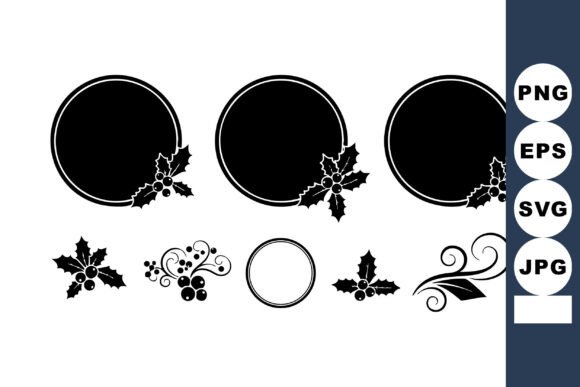
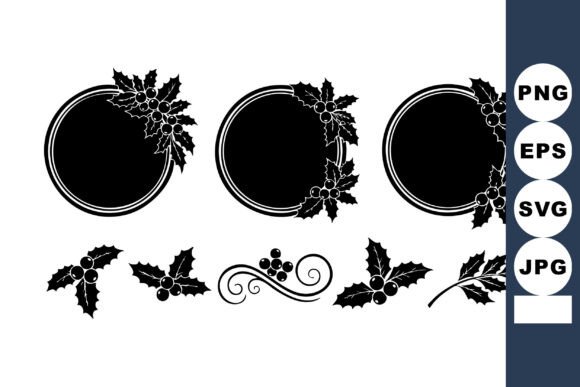
The rush of the holiday season often leaves creators, small business owners, and hobbyists scrambling for design elements that feel both festive and professional. You know the feeling: you have a great message for your Christmas newsletter, a perfect photo for your family card, or a compelling offer for your December sale, but the layout feels flat. This is where Holly Wreath Frames and Decorative Borders step in to save the day. These aren't just generic clipart; they are versatile vector illustrations featuring leaves and berries rendered in a striking black silhouette style. The elegance of the high-contrast design allows them to fit seamlessly into modern minimalist aesthetics while retaining that traditional, cozy holiday mood.
When you download this specific collection, you aren't just getting a single image. You receive a comprehensive ZIP file containing SVG, EPS, JPG, and PNG formats. This variety is crucial because it acknowledges that different projects require different tools. Whether you are cutting vinyl for a physical product, scaling a logo for a billboard, or quickly dropping an image into a social media post, having the right file format ensures your final output looks crisp and intentional.
Why the Black Silhouette Style Works for Modern Branding
In a digital landscape saturated with neon greens, flashy reds, and glittery textures, the black silhouette style offers a refreshing pause. It communicates sophistication without shouting. For marketers and entrepreneurs, this is a strategic choice. A black holly wreath frame around a product photo on Instagram stops the scroll not because it's loud, but because it's clean. It frames the subject matter effectively, drawing the eye inward rather than competing with the content inside the border.
This aesthetic is particularly useful for brands that want to maintain a year-round identity even during the holidays. If your brand colors are navy and white, or perhaps monochrome, adding a bright green wreath might clash. The black silhouette integrates naturally, allowing you to celebrate the season without compromising your visual identity. It's an elegant solution for those who prefer a "less is more" approach to seasonal decorating, both digitally and physically.
Real-World Applications for Creators and Businesses
The true value of these Holly Wreath Frames and Decorative Borders lies in their adaptability across various scenarios. Let's look at how different users can leverage these assets to solve real problems.
- Small Business Owners and Retailers: Imagine you are running a flash sale for Cyber Monday extending into December. You need a banner for your website header. Using the EPS file, you can scale the border to any width without losing quality. Place your sale text inside the wreath, and suddenly, a standard promotional graphic feels curated and special. It signals to customers that you've put thought into the presentation, which can subtly increase trust and conversion rates.
- Wedding and Event Planners: Winter weddings are increasingly popular, but finding decor that isn't overly kitschy can be hard. These vector borders are perfect for printing on invitation suites, menu cards, or table numbers. Because they are vectors (SVG/EPS), a printer can scale them up for a large welcome sign at the venue entrance without any pixelation. The black ink on cream or textured paper creates a timeless, high-end look that guests appreciate.
- Educators and Homeschool Parents: Creating engaging worksheets or certificates for students in December doesn't have to mean using low-resolution clipart that looks blurry when printed. Teachers can use the PNG files with transparent backgrounds to overlay the holly borders onto reading logs or behavior charts. It adds a touch of festivity that makes the material feel fresh and exciting for kids, bridging the gap between learning and holiday fun.
- Bloggers and Content Creators: If you are writing a end-of-year recap or a "Best of 2024" listicle, featured images need to stand out in Pinterest feeds. Framing your blog post graphics with these decorative borders creates a consistent series look. It tells your audience immediately that this content is part of your holiday special edition, helping with brand recognition.
The Technical Advantage of Multiple File Formats
Understanding the difference between the included files can change how you work. The SVG and EPS files are your powerhouses. If you use a Cricut or Silhouette machine to make custom ornaments, tote bags, or window decals, these vector files are non-negotiable. They tell the machine exactly where to cut, ensuring smooth lines and sharp points on every leaf and berry. You can recolor them in your design software to match specific thread colors or vinyl rolls, though the default black is often the most versatile.
On the other hand, the JPG and PNG files are your speed tools. Maybe you are editing a photo on your phone during a commute or putting together a last-minute email blast on a tablet. You don't always have access to professional vector software. Having a high-resolution PNG with a transparent background means you can drag and drop the wreath directly into Canva, PowerPoint, or Google Slides. It removes the friction of complex editing, allowing you to focus on the message rather than the mechanics of the design.
What to Consider Before You Download and Use
While these resources are designed to be user-friendly, a little forethought ensures the best results. First, consider your background color. Since these are black silhouettes, they will disappear against a black background unless you add a stroke or place them on a lighter layer. They shine brightest on white, off-white, pastel, or light-colored backgrounds. If you are designing for dark mode interfaces or night-themed graphics, you may need to invert the colors in your software, which is easy to do with the vector files but might require extra steps with the raster JPGs.
Secondly, think about the density of your layout. A decorative border is meant to frame, not overwhelm. If your text is long or your central image is busy, a thick, intricate wreath might make the design feel cluttered. In such cases, use the border elements sparingly—perhaps just the corner accents or a simplified version of the wreath—to maintain readability. The goal is to enhance the mood, not obscure the content.
Finally, keep licensing in mind if you are using these for commercial products. Most asset packs like this allow for commercial use, but it is always wise to double-check the specific terms included in the ZIP file. Whether you are selling 50 handmade Christmas cards or designing a template for a client, knowing you are compliant gives you peace of mind.
Bringing Festive Elegance to Everyday Projects
Ultimately, the Holly Wreath Frames and Decorative Borders collection is about efficiency meeting aesthetics. It solves the problem of "holiday design block" by providing ready-to-use, high-quality elements that work across print and digital mediums. From the freelancer rushing to meet a client deadline to the parent making homemade invitations, these tools democratize good design. They allow you to create something that feels polished and professional without needing hundreds of hours of illustration experience.
By choosing a classic motif like the holly wreath and rendering it in a versatile silhouette style, you ensure that your designs remain relevant throughout the season. They are sturdy enough for heavy commercial use yet delicate enough for personal keepsakes. When you integrate these frames into your workflow, you aren't just adding a picture; you are adding a layer of intentionality that resonates with your audience. So, as you plan your next project, consider how a simple, elegant border can transform a standard layout into a memorable holiday experience.