Elevate Your Designs with a Premium Floral Wreath Vector Set with Decorative Elements
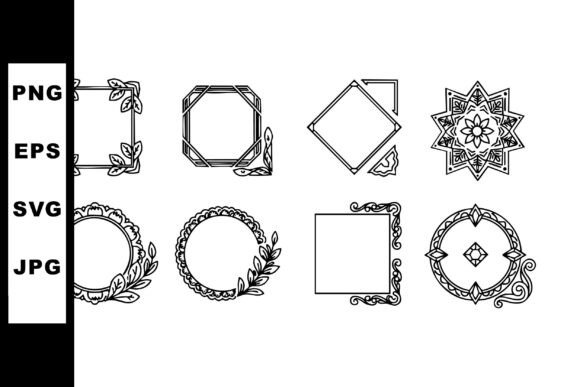
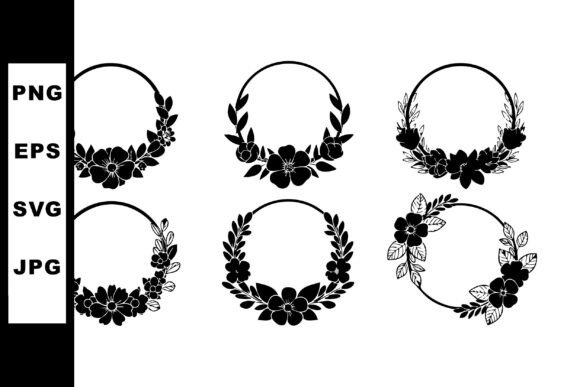
There is a specific kind of quiet confidence that a well-placed botanical illustration brings to a design project. Whether you are drafting a wedding invitation, branding a boutique skincare line, or creating a serene header for a lifestyle blog, the right graphic element sets the tone immediately. A Floral Wreath Vector Set with Decorative features offers exactly this: a collection of six distinct floral wreaths rendered in a black silhouette style. These designs capture a calm mood through their balanced leaf and flower arrangements, making them ideal for elegant design projects where subtlety speaks louder than noise. However, simply downloading assets is not enough; understanding how to integrate them effectively is what separates amateur layouts from professional-grade work.
Many creators, from seasoned freelancers to small business owners just starting out, often overlook the technical nuances of vector graphics. They see a pretty image and assume it will work everywhere without adjustment. This assumption can lead to frustrating results, such as pixelated prints or files that refuse to open in certain software. When you explore a set like this, which includes SVG, EPS, JPG, and PNG files in a downloadable ZIP, you are given versatility, but only if you know which format serves which purpose. Ignoring these distinctions is a common pitfall that can compromise the quality of your final output.
Choosing the Right File Format for Your Project
One of the most frequent mistakes designers make is treating all file types as interchangeable. You might be tempted to grab the JPG because it opens instantly in your web browser, but using a raster image for a large-scale print job is a recipe for disaster. JPGs and PNGs are made of pixels; when you enlarge them beyond their original resolution, they become blurry and jagged. This is particularly problematic for wedding invitations or signage where crisp lines are expected.
Instead, always reach for the SVG or EPS files when working on print materials or when you need to resize the wreath significantly. These vector formats use mathematical paths rather than pixels, meaning you can scale a tiny wreath up to the size of a billboard without losing a single bit of sharpness. The black silhouette style of this specific set relies heavily on clean edges to maintain its elegant aesthetic. If those edges degrade due to poor format selection, the "calm mood" of the design turns into a messy visual distraction. Save the PNGs for digital use where transparency is needed, such as website overlays or social media graphics, and reserve the vectors for anything going to press.
Misunderstanding the Power of Silhouette Style
Another area where creators often stumble is in the application of color. Because this Floral Wreath Vector Set with Decorative components comes in a black silhouette style, there is a temptation to immediately fill the shapes with vibrant greens, pinks, or golds. While customization is a benefit of vector files, doing so can sometimes defeat the purpose of the design. The strength of a silhouette lies in its contrast and simplicity. It provides a grounding element that allows other parts of your design—like typography or photography—to shine.
Consider a scenario where you are designing a minimalist logo. If you colorize the intricate leaf arrangements, you might clutter the visual hierarchy, making the logo hard to read at small sizes. A better approach is to utilize the black silhouette as a frame or a divider. Let the negative space within the wreath hold your text. If you must add color, consider applying it subtly to the background behind the wreath rather than the wreath itself, or use a single accent color sparingly. This preserves the sophisticated, timeless feel that the original artist intended.
Overlooking Licensing and Usage Rights
Before you integrate these assets into a client's project or a product you intend to sell, you must verify the licensing terms. A common misunderstanding among entrepreneurs and bloggers is assuming that "downloadable" equals "free for commercial use." While many high-quality sets offer generous licenses, others may restrict usage to personal projects only or require attribution. Using a graphic in a commercial context without the proper rights can lead to legal complications and unexpected costs down the road.
Always check the documentation included in the ZIP file or the product page where you acquired the set. Look for specific clauses regarding "print on demand," "digital templates," or "logo usage." For instance, some licenses allow you to use the wreath in a wedding invitation you design for a client, but prohibit you from selling the wreath as a standalone digital clipart pack. Being proactive about this protects your reputation and ensures your business operations remain smooth. If the terms are unclear, reach out to the creator for clarification before proceeding.
Optimizing Workflow Efficiency
Efficiency is key for freelancers and marketers managing tight deadlines. A mistake often made is failing to organize assets properly after download. When you unzip the folder containing SVG, EPS, JPG, and PNG files, take a moment to sort them into subfolders based on their intended use. Create a "Print Vectors" folder for your EPS and SVG files and a "Web Graphics" folder for your PNGs and JPGs.
This simple organizational step saves valuable time when you are in the middle of a creative flow. Imagine needing to quickly swap a low-res preview for a high-res vector right before a deadline; knowing exactly where that EPS file lives prevents panic. Furthermore, familiarize yourself with how these files interact with your specific design software. For example, importing an EPS into a modern web design tool might require conversion, whereas an SVG might import natively. Understanding your toolset ensures you don't waste hours troubleshooting compatibility issues that could have been avoided with a little preparation.
Practical Tips for Best Results
- Test Prints First: Before running a full batch of invitations or brochures, print a single sample on the actual paper stock you plan to use. Black silhouettes can look different on textured cream paper versus glossy white cardstock.
- Maintain Contrast: Ensure there is enough contrast between the black wreath and your background. Placing a black silhouette on a dark navy background might look stylish on screen but could disappear entirely when printed.
- Group Elements Wisely: When editing the vector files, keep the wreath elements grouped until you are ready to make specific changes. This prevents accidental displacement of delicate leaves or flowers that contribute to the overall balance.
- Check Scalability: Zoom in to 400% or more on your vector file to ensure there are no stray anchor points or broken paths that could cause printing errors.
Incorporating a Floral Wreath Vector Set with Decorative flair into your work can significantly enhance the perceived value of your projects. The six varied arrangements provided in this set offer enough diversity to keep your designs fresh while maintaining a cohesive brand identity. By respecting the technical nature of vector files, honoring the intent of the silhouette style, and adhering to licensing agreements, you ensure that your final products are not only beautiful but also professional and reliable. Take the time to understand your tools and assets; the difference between a good design and a great one often lies in these details.